Inserting accented characters in documents about Warré beekeeping
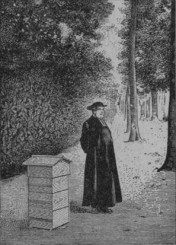
Warré beekeepers wanting to write articles, Powepoint presentations and web pages frequently ask how to make the French and German accented characters that commonly crop up in the Warré beekeeping literature. Some examples include: Abbé Emile Warré, Johann Thür, Nestduftwärmebindung, Jürgen Tautz, Jean-Marie Frèrès etc.
On a Windows PC:
é — Hold down the Alt key and type 130 on the numeric keypad
ä — Hold down the Alt key and type 132 on the numeric keypad
ü — Hold down the Alt key and type 0252 on the numeric keypad
è — Hold down the Alt key and type 138 on the numeric keypad
Codes for dozens of other accented characters can be found on many sites on the Internet.
On an Apple Mac:
é — Press Option + E, release and then press e
ä — Press Option + U, release and then press a
ü — Press Option + U, release and then press u
è — Press Option + `, release and then press e
Please see http://ali.apple.com/als/k6web/steps/TypeNonEnglishCharacter.pdf for more Apple Mac keyboard shortcuts.
With gratitude to David Heaf. Originally published by David Heaf at warre.biobees.com (archived copy of the original page), preserved via the warre.warsaw-hive.com mirror. Text © David Heaf; reproduced for non-commercial archival purposes, pending permission. Photographs and translations remain credited to the contributors named on this page.